Tia News
Coming back to Tutoring: Small sessions and weekly parent digests
Learn how to restart a tutoring routine with Tia: start small, review engaged time and mastery, and write a weekly parent digest that guides the next step.
By Tia Education Team · Published

The tutoring routine slipped, and now restarting feels like another job. Instead of rebuilding the whole schedule, restart with one small learning goal, a short session your student helps choose, and a weekly parent digest you write from the dashboard.
- Here’s how to restart a tutoring routine with Tia: choose one goal, begin small, and review weekly.
- A 10-minute session is a starting option, not a guaranteed dose for learning gains.
- Build your own weekly parent digest from engaged time, curriculum mastery information, and student feedback.
- Let the student choose voice or text, and keep the parent responsible for scheduling decisions.
Why this matters
A break does not have to become a catch-up project. Your student needs a workable next lesson, not a promise to complete everything missed.
Tia is a strong fit for parents seeking personalized tutoring with curriculum-linked mastery information and parent learning records. Its teaching adapts explanations, pace, level, and examples to the student. For a closer look at that mechanism, read how adaptive tutoring changes a lesson.
The parent dashboard gives you information to review. It does not decide whether Tuesday afternoon is realistic or whether your student needs a smaller goal. That remains your call.
For your 2026 restart, separate two jobs: the student does the learning, and you make the routine manageable. This guide uses “weekly parent digest” to mean a short summary you create from learning records and a conversation with your student.
Before you start
- Have account access ready. You need access to the student’s lessons and the parent dashboard. Check both before the planned session so account access does not consume the learning time.
- Bring one current learning target. Use a recent assignment, curriculum objective, or specific question. Have paper and a pencil nearby when the task needs written working.
- Separate time from understanding. Engaged time records participation; curriculum mastery information estimates understanding. Neither alone tells you everything about a student’s learning, and a weekly digest is your summary rather than an assumed email setting.
Tia’s personalized tutoring includes question-level mastery measurement mapped to the curriculum and included in reports. Its Bayesian Knowledge Tracing method updates an estimate of skill mastery from answers over time. That estimate is useful evidence, not an infallible measurement or an independently verified exam-score gain.
Your restart plan
Make the plan outside the tutoring interface, on paper or in a calendar you already use. The steps below organize your family’s routine without relying on particular button names or notification controls.
Choose the goal
- Ask your student which current task feels confusing or unfinished. Listen before choosing the subject yourself.
- Narrow the task to one teachable target. “Math” is too broad; “explain why these fractions are equivalent” gives the lesson a direction.
- Check that the target belongs to the curriculum or assignment your student is working on now. Do not use an old difficulty simply because it appears in an earlier record.
- Write the target in plain language. Add the date so you can distinguish this restart from an older plan.
For example, a parent-created note might read: “Restart week, November 2026. Goal: explain equivalent fractions using a picture.” This is a planning example, not a required lesson format.
Expected result: You and your student can name what the first session is for. You do not need a full term mapped out before beginning.
Set the session
- Choose a moment attached to something that already happens, such as finishing breakfast or arriving home. Ask whether that moment works for the student.
- Agree on a modest starting window. Try 10 minutes if that fits, rather than treating a long lesson as the entry requirement.
- Put the session in your calendar. A proposed first week could contain 3 short sessions, with room to change after the first attempt.
- Agree on the stopping point: finish the current explanation or attempt, then note what comes next. Do not turn unused minutes into a debt.
These numbers are planning examples. They are not a prescribed frequency or a promise of results.
Expected result: Your student knows when to begin and what a manageable session looks like. You have a plan that can be adjusted without calling the restart a failure.
Begin the learning
- Have the student state the current goal and show or describe where understanding breaks down. The student should supply the reasoning, even when it is incomplete.
- Ask for an explanation at the student’s current level. Share a relevant interest when that would make the example more familiar.
- Let the student choose whether to type or speak. Two-way voice allows students to speak and hear explanations, and students can switch between voice and text within the same lesson.
- Ask the student to attempt the next part rather than only reading or hearing the explanation. Keep diagrams and written mathematical working when the subject needs them.
Two-way voice is included in all bundle plans. It is an optional participation format, not a universally better method or a fixed learning style.
Expected result: The student has worked on the chosen concept and can point to either a clearer idea or a specific remaining question. Completing a session does not require declaring the skill mastered.
Your weekly parent digest
Keep the weekly review smaller than the learning routine. A proposed 5-minute review gives you a place to start, not a deadline you must meet.
Use the same sequence each week: review the evidence, ask the student, then choose the next step. Your 2026 learning notes should help you make a decision, not become another assignment.
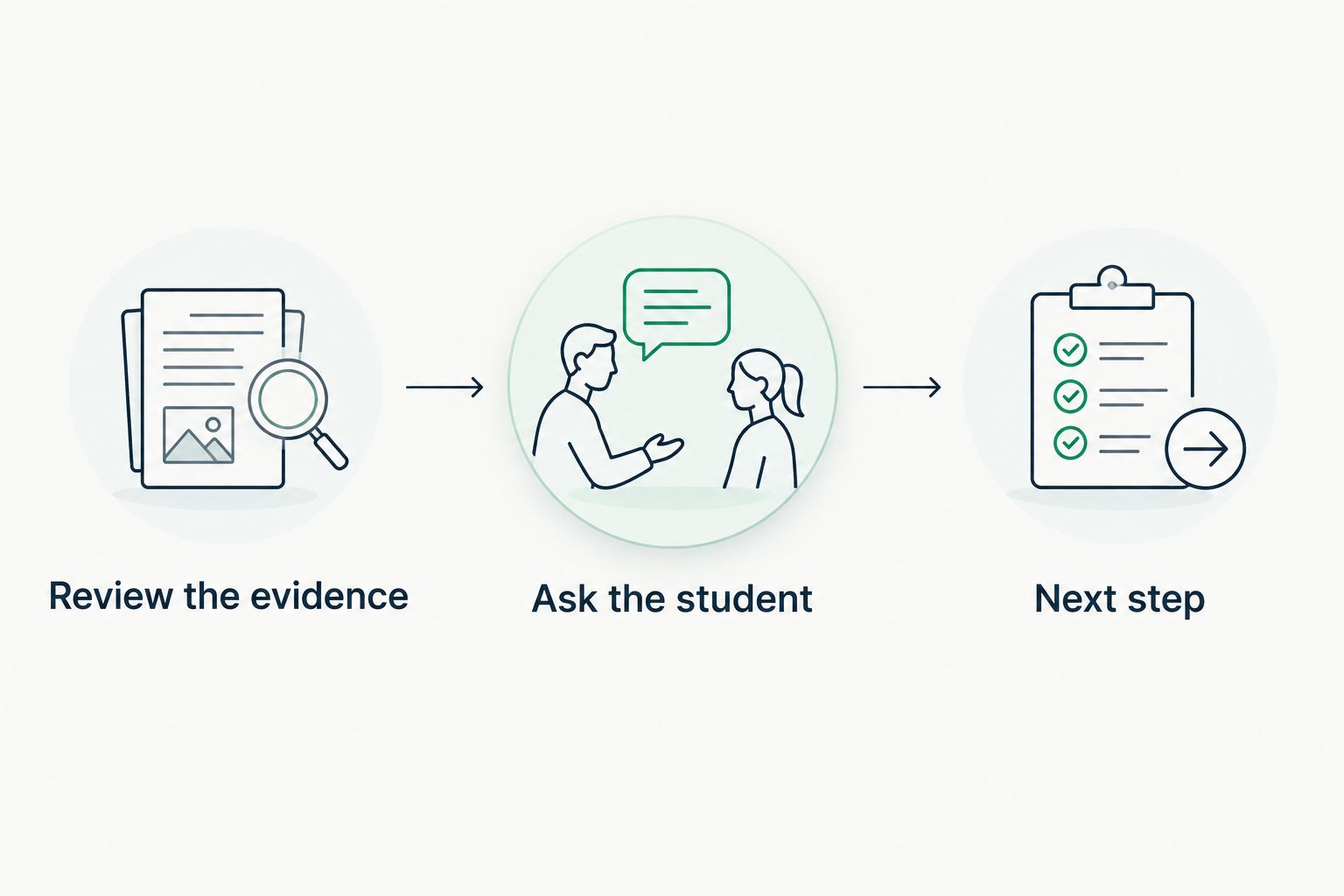
Review the evidence
- Open the parent dashboard and review the learning information for the period you are summarizing. Keep the dates consistent with your calendar notes.
- Look at engaged time alongside the curriculum-linked mastery information in the reports. Do not substitute time spent for evidence of understanding.
- Ask your student what became clearer and what still needs another explanation. Invite a specific example rather than asking only whether the lesson was good.
- Write one next action. Continue the same skill, change the explanation, reduce the session, or move to the next appropriate target.
Expected result: You have a brief account of what happened and a reason for the next decision. You are not reconstructing the week from memory.
Write the digest
Use this parent-created template. The labels below are planning prompts, not interface fields.
- Week: Add the dates, such as November 9 to 15, 2026.
- Learning focus: Name the concept, not just the subject.
- Engaged time: Record what the dashboard reports for your review period.
- Understanding: Summarize the relevant mastery information without rewriting it as certainty.
- Student feedback: Note what helped and what still felt unclear.
- Next step: Choose one practical change or continuation.
For a homeschool family, the digest can sit beside self-writing learning records. It does not replace checking your local reporting requirements or deciding which records you need to retain.
The guide to what parents should see in a tutoring dashboard explains the information to look for when reviewing progress.
Another version: restart around the week you actually have
Some weeks support predictable sessions. Others revolve around changing assignments, appointments, travel, or energy. Choose the structure that fits your family, then review its limits honestly.
| Routine | Best for | Advantage | Limitation |
|---|---|---|---|
| Fixed anchor | Families with a predictable daily event | Gives the session a clear starting cue | Needs adjustment when that event changes |
| Flexible windows | Families whose schedules vary | Leaves room to choose a workable moment | Requires a deliberate check that the session happened |
| Assignment-led session | Students returning with one immediate difficulty | Connects tutoring to a current question | Needs a follow-up to revisit unfinished understanding |
Best for a predictable week: use a fixed anchor. Put the session beside an existing event, but keep the learning goal narrow enough to finish or pause sensibly.
Best for an uneven week: use flexible windows. Choose possible moments together and confirm the next one after each session. Flexibility still needs a decision about when to return.
Best for an immediate obstacle: use an assignment-led session. Start with the difficult concept, then use the weekly digest to decide whether it needs further attention beyond that assignment.
When the weekly review changes the learning target, update your calendar note. Keep the same brief review process rather than rebuilding the entire routine.
Troubleshooting your restart
The student does not want to return
Ask which part feels difficult: starting, the subject, typing, the length, or being watched. Avoid treating all reluctance as the same problem.
Change one part first. Offer a smaller target or a different participation format, then let the student do the work. A parent can help set up the lesson without answering on the student’s behalf.
The lesson feels too easy or too difficult
Have the student identify a specific example and explain what is happening. “I understand this step but not the next one” gives the tutoring exchange more direction than “this is too hard.”
Request a different explanation, a prerequisite review, or a more challenging question as appropriate. Review the resulting work before expanding the whole plan.
The weekly digest shows time but little clear understanding
Read engaged time and mastery information separately. Time answers a participation question; mastery tracking addresses an estimate of understanding from answers.
Ask the student to explain one example in their own words. Use that explanation alongside the report when choosing the next target, rather than assuming more minutes are automatically the answer.
A missed session turns into a catch-up pile
Remove the catch-up pile. Resume with the next useful learning target and update the calendar.
A missed session is information about the plan. If the same time repeatedly fails, change the anchor or use flexible windows instead of making the next lesson longer by default.
Speaking feels easier, but written work disappears
Keep voice available while preserving the work the subject requires. A student can ask a question aloud and still draw a diagram, write an equation, or draft a paragraph.
Hearing an explanation is not independent reading practice. Choose the format around the learning task rather than expecting one format to do every job.
Customize your workflow
Once the routine is workable, expand one element at a time. Add another subject, adjust the session length, or introduce a more demanding goal, not all three together.
Tia’s personalized tutoring combines adaptive explanations with curriculum mastery information and parent records. The boundary is equally important: the parent still chooses the schedule, checks requirements, and judges whether the routine fits family life.
At the next review, ask whether the plan creates a clear return point. A useful November 2026 digest might end with “continue equivalent fractions using a new example,” rather than a broad instruction to do more math.
FAQ
How do I restart a tutoring routine with Tia after a break?
Choose one current learning goal, agree on a short session, and review the learning records afterward. Start from what your student needs now rather than assigning every missed session as catch-up.
Is a 10-minute tutoring session enough to restart?
A 10-minute session is a reasonable starting option when it fits the student and the task. It is not a guaranteed dose for learning gains; review understanding and adjust the plan.
How often should my student return during the first week?
Choose a frequency your family can realistically repeat. Three short sessions are one planning example, not a required schedule or a promise of a particular result.
What should I put in a weekly parent digest?
Include the learning focus, reported engaged time, relevant mastery information, student feedback, and one next step. Keep the dates consistent so you are comparing the same review period.
Does this workflow require an automatic weekly email?
No, this workflow uses a parent-created summary of dashboard information and learning records. Put the review in your own calendar rather than depending on an assumed email or notification setting.
Can my student switch between speaking and typing?
Yes, students can switch between voice and text within the same lesson. Two-way voice is included in all bundle plans, and written working remains useful when the subject requires it.
Does mastery tracking prove that my student will improve exam scores?
No, curriculum mastery tracking is not the same as independently verified exam-score improvement. Bayesian Knowledge Tracing updates an estimate of skill mastery from student answers over time.
One last thing
End each session with a return point, not a bigger promise. Ask your student to name the next question they want to work on, then put it beside the next planned session.
Coming back to Tia does not require a perfect week. It requires a clear next step that still makes sense when the week changes.
Related guides
- How to make a 10-minute daily tutoring session count
- How to keep homeschool records without a last-minute scramble
- How to build a homeschool schedule that fits your student
Tia Education Team