Tia News
How to keep homeschool records without a last-minute scramble
Homeschool record keeping is easier when you log lessons, save useful work and review it regularly. Build a simple system that also reflects your state’s rules.
By Tia Education Team · Published

Keep homeschool records without a last-minute scramble by saving evidence as learning happens, then reviewing it regularly against your state’s requirements. Start with a simple record for dates, subjects and work completed, plus a place for examples of your student’s work. A tutoring dashboard can document part of the learning, but it does not replace the records you are responsible for keeping.
- Homeschool record keeping works best when you save dates, subjects and work samples as learning happens.
- Check your state’s requirements before deciding what to keep; a useful progress record is not automatically a compliance record.
- Tia suits parents who want adaptive tutoring with visible progress, but its dashboard is not a complete homeschool filing system.
- Review records regularly so missing work is easier to spot before the end of the term.
Why this matters
You finish a full week of lessons, projects and reading. Then you sit down to write the record and realize the student’s best work is scattered across a notebook, a download folder and the kitchen table. The fix is a place to capture learning when it happens, not a longer writing session later.
For homeschool record keeping in 2026, keep two questions separate: What did my student learn? What does my state require me to document? The first helps you plan the next lesson. The second determines what you must retain. A guide to what parents should see in a tutoring dashboard can help you assess digital progress records, but no dashboard answers your state-specific compliance questions for you.
How do you keep homeschool records without a last-minute scramble?
Build a repeatable capture, save and review routine. You do not need to recreate every lesson in a long narrative. You need records you can understand when you return to them, together with anything your state requires.
- Check requirements. Find your state’s current homeschool record rules for 2026. Write down what you must keep, when you must provide it and whether particular formats or evaluations apply. Keep those requirements beside your records so your filing method serves the actual obligation.
- Record learning. Enter the date, subject, topic and activity while the lesson is still fresh. If a student read, practiced fractions and worked on a science question, use plain descriptions that will still make sense later.
- Save examples. File work that shows what the student attempted and how their understanding changed. Keep the date and subject with each example; otherwise a photo or document becomes difficult to interpret months later.
- Review gaps. Look at your log and saved work together. If a subject has plenty of activity entries but no examples, choose a piece of work to retain. If an entry is unclear, add the missing context while you remember it.
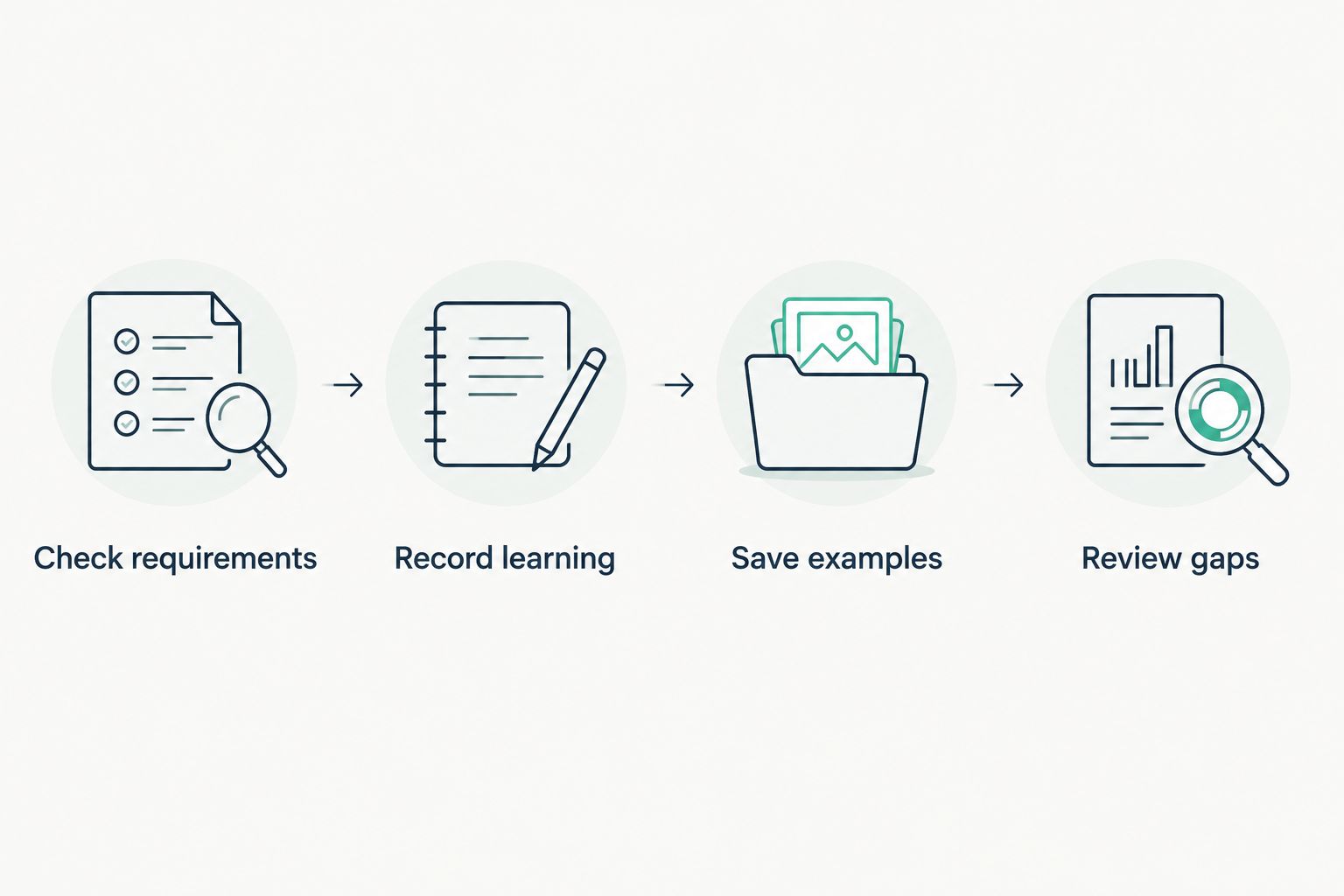
The steps do different jobs. A dated activity entry helps you recall what happened. A saved essay draft, worked problem or project note shows what the student did. Your state’s rules determine which of those items must become part of your formal record.
What should go in an everyday learning log?
Write for your future self, not for an audience you need to impress. A useful entry names the subject and describes the work clearly enough that you can find supporting material. Instead of writing only “Math,” write what the student practiced and where the work is saved.
Keep the log short enough to use after an ordinary lesson. A paper notebook, a spreadsheet and a digital dashboard all serve different parts of the job. Choose the method you will maintain, then check that it lets you retrieve what your state requires.
| Record method | Best for | Advantage | Limitation |
|---|---|---|---|
| Paper notebook and folder | Parents who prefer one physical place | Easy to add lesson notes and printed work together | Digital work needs to be printed or recorded separately |
| Spreadsheet and file folder | Parents who want a searchable activity log | Dates, subjects and file names can sit in one view | You must keep the linked files organized yourself |
| Tutoring dashboard | Parents tracking learning within a tutoring service | Makes tutoring activity and progress easier to review | Does not capture every homeschool activity or establish legal compliance |
Use one method as your main index. When you split dates across a notebook, several apps and loose files, you create the very search you are trying to avoid. Supporting work can live elsewhere, as long as the index tells you where to find it.
How do you save work without keeping everything?
Keep work that answers a question about learning. An early attempt and a later revision can show change more clearly than a stack of similar practice pages. A project plan, writing draft, reading response or worked math problem can also help you decide what needs attention next.
Label each item with enough context to identify it. Use the student’s name, subject, topic and date where practical. If your student made something that cannot fit in a folder, document the work in a way you can retrieve and explain. Check your state’s rules before discarding originals or relying on a particular digital format.
Not every useful learning moment produces a worksheet. A discussion after reading or a hands-on explanation can belong in the activity log even if there is no file to attach. Keep the distinction clear: a note that an activity occurred is not the same thing as a sample of completed work.
When should you review the records?
Review them often enough that you still remember the lessons. The review is a quick check of what the log says, what evidence is saved and what the student needs next. It is not a second attempt to teach the lesson on paper.
Put the review on an existing planning day. Open the activity log, look for entries without clear descriptions, and check whether saved work represents the subjects you taught. Then use what you notice to plan the next lesson. If a topic is still difficult, the record should make that visible rather than hide it behind a list of completed activities.
A missed entry is easier to repair when you still have the student’s work nearby. At the end of a long term, the same entry turns into a memory exercise. A regular review is what prevents the last-minute scramble.
Why homeschool record keeping varies
There is no single folder layout that fits every household. These factors change what your system needs to capture:
- State requirements. Your legal record obligations depend on where you homeschool. Confirm the current rules before treating a sample log or dashboard as sufficient.
- The student’s subjects. Math work, writing and science activities produce different kinds of evidence. Organize by subject if that helps you find examples later.
- The student’s way of learning. A student who explains an idea aloud or works through a project may need a brief note to give the activity context.
- Where learning happens. Paper lessons, digital tutoring and activities away from a desk do not arrive in one folder automatically. Decide how each reaches your main index.
- Who needs the record. Your own planning notes can be brief. Records prepared to meet an external requirement must contain whatever that requirement specifies.
Do not let a polished log become the goal. Homeschool record keeping should help you see the student’s work and meet your obligations. If the system takes attention away from learning, remove fields you do not use unless your state requires them.
Can a tutoring dashboard help with homeschool records?
Yes, a tutoring dashboard can document tutoring activity and help you see progress within that service. It cannot, by itself, account for reading, projects, other resources or every record your state requires. Treat it as one source of evidence within your wider homeschool system.
Tia is best for parents of students in grades 5 to 12 who want adaptive Math, English and Science tutoring with progress they can review. Tia provides a parent dashboard, engaged-time measurement and self-writing records. The advantage is less manual reconstruction of tutoring activity; the limitation is that Tia cannot record every part of your homeschool day or determine what satisfies your state’s rules.
Engaged time answers a narrower question than time with a tab open. It describes time the student was engaged with tutoring. If you use a time record in your homeschool files, label what it measures rather than presenting it as a complete account of the day. That distinction makes the record more useful when you return to it.
You can use Tia for the tutoring portion of a student’s learning, then keep your other activities and required documents in your main record system. Tia’s dashboard supports your view of the work; you remain in charge of the full record and the decisions it informs.
What if you are already behind on records?
Start with what you can verify. Gather existing notebooks, completed work, saved files and tutoring records. Put them in date order where the dates are available, and write a short index showing which subjects and periods they cover.
Do not turn uncertain memories into precise entries. Mark a gap as a gap, then check whether another record can clarify it. If you need records for a specific legal purpose, compare what you have with your state’s requirements and get qualified local guidance when the requirements are unclear.
Next, begin the capture routine with the next lesson. You can organize old materials separately without waiting for a perfect reconstruction. This protects the work happening now while you sort what already exists.
How do you make records useful for the next lesson?
Look for a decision, not just a completed field. Which topic is clear? Where did the student stop? What explanation or type of practice helped? A note that answers one of those questions gives you more direction than a long list of activities with no context.
Let the student’s work carry the detail when it can. If a student revised an essay, keep the draft and revision together. If a math approach changed, save an example that shows the change. Your brief note can then explain why the work matters without retelling the entire lesson.
This is especially useful when a boxed curriculum is not fitting the student. Your records can show the point where the method stopped helping and what you tried next. Changing the method mid-year is easier to explain to yourself when you can see the learning behind that choice. Keep any required curriculum documentation separately from these planning notes.
FAQ
What is the easiest way to start homeschool record keeping?
Start with one dated log for subjects and activities, plus one place for student work. Check your state’s current requirements before deciding that this covers your formal records.
Do I need to save every homeschool worksheet?
No, an everyday progress file does not need every practice page. Select work that shows what the student did and how understanding changed, while retaining anything your state requires.
Can a tutoring dashboard count as a homeschool record?
A tutoring dashboard can support your records by documenting learning within that service. It does not capture your entire homeschool program or automatically satisfy state requirements.
What should I write in a homeschool activity log?
Write the date, subject, topic and a clear description of the activity. Add where to find related work so the entry is useful when you review it later.
How do I catch up on missing homeschool records?
Organize the work and records you already have, then identify gaps you cannot verify. Check your state’s requirements and start a consistent routine with the next lesson rather than inventing past entries.
Should I track time spent or work completed?
Track what your state requires and what helps you understand the student’s learning. Keep engaged tutoring time distinct from a full-day activity record, and save examples of completed work when they add useful evidence.
How often should I review homeschool records?
Review records often enough to remember the lessons and locate missing work. Tie the check to a planning day so the log helps you choose what to teach next.
One last thing
Your strongest record is not the thickest folder. It is the one that lets you find a dated activity, see the student’s work and understand your next teaching decision without reconstructing months from memory. In 2026, start with the next lesson, then keep the routine small enough to repeat.