Tia News
Homework photo to step-by-step help: 2026 workflow
Upload homework photo for step by step tutoring help only after checking image support. Tia helps Grades 5 to 12 students work through Math, English, and Science.
By Tia Education Team · Published

Instead of spending the evening trying to decipher a homework photo and explain every step yourself, use the photo to capture the exact question, identify where your student gets stuck, and bring that question to a tutoring session. If you want to upload a homework photo for step by step tutoring help with Tia, check whether the current session accepts images first; the available product details do not confirm photo upload, so keep a text copy of the question ready.
- To upload a homework photo for step by step tutoring help, first confirm that the tutoring session accepts images.
- Tia is best for Grades 5 to 12 students who need personalized Math, English, or Science tutoring at their own pace.
- If photo upload is unavailable, copy the question and describe the student's first stuck step.
- Keep the student working through the answer; use the parent's dashboard to review progress afterward.
Why this matters
You know the moment: the assignment is on the table, the photo is on your phone, and your student says they do not understand any of it. The photo preserves the question. It does not tell a tutor which word, calculation, or instruction caused the problem.
Tia is best for Grades 5 to 12 students who need a personal tutor for Math, English, or Science at their own pace. In 2026, the useful workflow is to pair the exact assignment with a clear account of what your student has already tried. That gives the tutoring session a starting point without asking you to teach the whole lesson.
This guide separates two things that are easy to confuse: photographing homework and uploading that photo to a tutor. You can do the first with your phone. Whether the second is available depends on the current tutoring interface, which you should check before promising your student a photo-based session. You can explore Tia's personal tutoring while keeping a typed version of the question as your fallback.
Before you start
- Have the assignment, your student's attempt, and any teacher instructions together. A question copied without its instructions can lose the part that matters.
- Make sure you can access your phone's camera and the tutoring session you plan to use. If the session does not offer an image option, you will need to enter the question in a supported format instead.
- Check the photo for private information before sharing it. Crop out names and other unrelated details. Keep diagrams, answer choices, units, and instructions that the student needs to solve the question.
The setup trap is assuming a clear photograph is enough. A tutor also needs to know what your student understands and where the attempt stopped. Ask your student to point to the first uncertain step before you open the session.
Capture the question
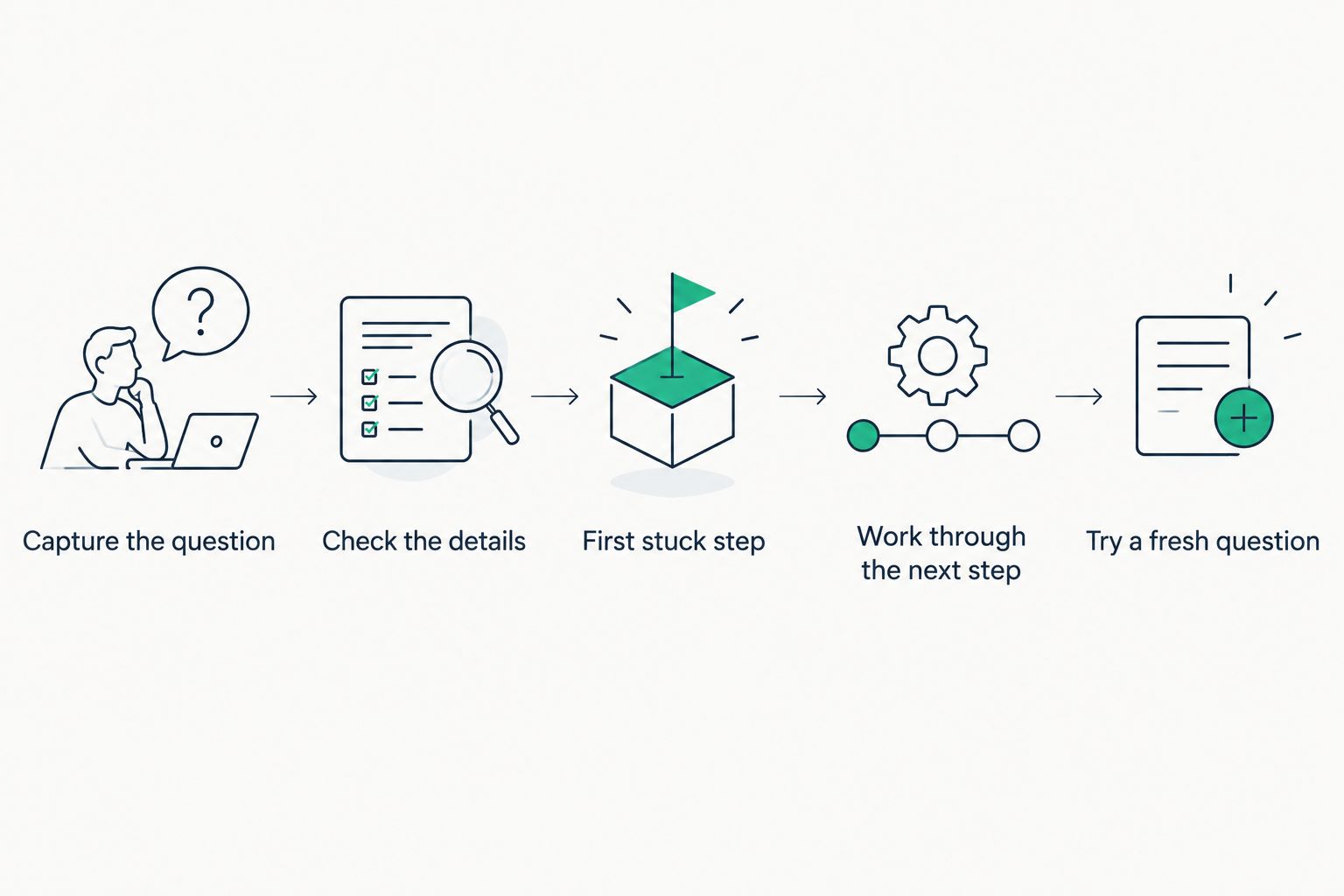
- Photograph the full question. Put the page on a flat surface and include the prompt, any diagram, and the instructions above it. Take a second photo if small writing is hard to read in the first.
- Check the details against the page. Look closely at minus signs, exponents, fractions, decimal points, and labels. In English or Science, check the exact wording of the task rather than relying on your memory of it.
- Separate the question from the attempt. If your student has written on the page, capture the original prompt and the work they have done. You need both to see whether the difficulty starts with reading the task or carrying out a step.
You should now have a readable record of the assignment, not just a picture of an answer box. In 2026, that distinction still matters: tutoring should address the task your student was given, not a version reconstructed from memory.
Prepare the tutoring request
- Ask for the first stuck step. Keep the question specific: Is your student unsure what the problem asks, which method to choose, or what to do after an attempted step? Let your student answer before you supply your own diagnosis.
- Check how the session accepts questions. If you see an image-upload option in the current interface, use it to share the cropped photo. If you do not, enter the question in a format the session supports. Do not assume a camera icon or upload button exists.
- Add the student's attempt in words. State what they tried and where they stopped. For example, you can say that they set up an equation but are unsure which operation comes next. Include the exact equation only after checking it against the assignment.
The expected result is a request with three usable parts: the original task, the student's attempt, and the point of confusion. You do not need to write an explanation for your student first. You need to make the problem clear enough for a tutor to start at the right place.
The same preparation works for Math, English, and Science, but the useful details differ. For Math, preserve every symbol and unit. For English, include the passage or instructions the question refers to when sharing them is permitted. For Science, include diagram labels and the wording of any observation or evidence the task asks your student to use.
Work through the next step
- Have your student take the lead. Ask them to explain what they think the question asks. If that is the sticking point, make understanding the prompt the first goal rather than rushing into calculations or drafting an answer.
- Focus on one step at a time. After an explanation, have your student say why that step makes sense and try the next one. An answer copied from the screen is not evidence that the underlying problem is clear.
- Try a fresh question independently. Use a similar problem from the assignment when one is available. Compare the method, not just the final answer, and note the exact step that still needs attention.
The expected result is a student who can explain a step and attempt another, not merely submit a finished page. Tia adapts to a student's pace and level; your role is to bring the real assignment into focus and check that your student can apply what they learned. For a closer look at that teaching approach, read how adaptive tutoring changes a lesson.
When the assignment changes
Sometimes your student brings back a corrected question or realizes the photo missed a line of instructions. Treat that as an update to the request, not as a reason to start guessing from the earlier answer.
- Check what changed. Compare the new page with the version you used before. Identify whether the correction affects a number, a diagram, the wording, or the student's own work.
- Provide the corrected question. Use an image if the current session accepts one; otherwise enter the corrected text in a supported format. Say which part of the earlier version was wrong so the tutoring can address the right task.
- Ask your student to revisit the affected step. If the changed detail alters the method, start there. If the method stays the same, have your student explain why before continuing.
The expected result is a fresh explanation tied to the corrected assignment. This variant also works when a student moves from an example in class to a similar homework problem: bring the new wording, then check whether the earlier method still fits.
Troubleshooting
There is no photo-upload option. Do not hunt for an unconfirmed feature. Keep the photo as your reference, enter the question in a format the session accepts, and describe any diagram or layout you cannot reproduce directly.
The question is readable, but the answer seems off. Compare the shared version with the paper. A missing minus sign, unit, answer choice, or instruction can change the task. Correct the input and return to the first step affected.
Your student says every step makes sense but cannot do a similar problem. Pause the explanation and ask them to attempt a fresh question without following the previous answer. Use the first point where their attempt stops as the next tutoring request.
The assignment includes several unrelated questions. Start with one representative question and one specific block. If the next question uses a different method, treat it as a new request rather than assuming the first explanation covers it.
The photo includes information you did not intend to share. Crop the image before using an available upload option. If you cannot remove the unrelated information cleanly, enter only the relevant question in a supported format.
Customize your workflow
For a student who freezes at the sight of a long assignment, begin with one question they can identify as confusing. Ask what they know about it before you look at the attempted work. That keeps the session centered on learning rather than finishing the page.
For a student who finishes quickly but repeats the same mistake, save the mistaken step in your notes. Next time, ask them to explain that step before they begin. A record of the recurring point of confusion is more useful than a stack of photographed answers.
For a homeschooling parent, make the tutoring session one part of your wider record. Tia gives parents a dashboard to track progress, along with engaged-time measurement and self-writing records for homeschool reporting. Use those records to review the broader pattern; keep the assignment and your student's attempt when you need the detail behind a particular session.
The 2026 routine does not need to be elaborate. Capture the task, find the first block, let your student work through the explanation, and check a fresh attempt. If a subject keeps producing the same block, use that pattern to decide what to revisit next.
FAQ
Can I upload a homework photo to Tia for step-by-step help?
The provided product details do not confirm a photo-upload feature in Tia. Check the current tutoring interface; if it has no image option, enter the question in a supported format and describe where your student is stuck.
What should I include with a homework photo?
Include the full question, relevant instructions, diagrams, and your student's attempt. Remove names and unrelated private information before sharing an image.
What if my student has not attempted the problem yet?
Ask your student to explain what the question is asking and identify the first unclear word or step. That gives the tutoring session a useful starting point without requiring a completed attempt.
Can this workflow help with English and Science homework?
Yes. Tia provides personal tutoring in Math, English, and Science for students in Grades 5 to 12; keep the exact wording, instructions, and relevant evidence with the question.
What should I do if the tutoring gives an answer but my student is still unsure?
Ask your student to explain one step and try a similar question independently. If they stop again, use that specific point of confusion as the next tutoring request.
How can a parent check progress after a tutoring session?
Tia gives parents a dashboard to track progress. Compare the broader record with your student's attempt at a fresh question to see what needs more work.
One last thing
Keep the student's unfinished attempt. It shows the first place their thinking diverged from the task, which a clean photo of the printed question cannot show. In 2026, that small addition makes a homework question far more useful as the start of a tutoring session.